


game Apps - Free Download & Official Reviews

Roblox
 4.7
4.7
Roblox is a MMO platform rather than just a game, allowing millions of people to come together to build, share, and play an infinite number of Roblox games around the world. All wrapped up in one single app, there's obstacle courses, role play adventure, full scale simulations and competitive shooters all in one game.
Your Essential Installation Guide of Roblox
4.7
On Android- Go to the Google Play Store of your Android device.- Click on the Search field and enter the word Roblox.- Choose the official app that was created by Roblox Corporation.- Select Install and grant permission (storage, microphone, etc.).- Tap Open once the download has finished.- Tap Sign Up to register for a new free account, or Log In if you already have one.- Follow the on-screen setup prompts, including selecting an avatar style to represent yourself in the game world.- Optional: In the Google Play Store, go to your profile icon > Manage Apps & Device to enable auto-update for Roblox, ensuring the app always stays on the latest version.- Optional: If your Android device has a Game Mode or Game Booster feature, add Roblox to it for optimized performance and reduced lag during gameplay.You can download and make a Roblox account for free. Robux, the platform's in-game currency, is optional and is to spend on cosmetic items, but you can enjoy a tremendous world of content without spending a penny. Log in and after setting your avatar, you can play millions of games created by all over the world.
Personalize Every Corner of Your Roblox Experience
4.7
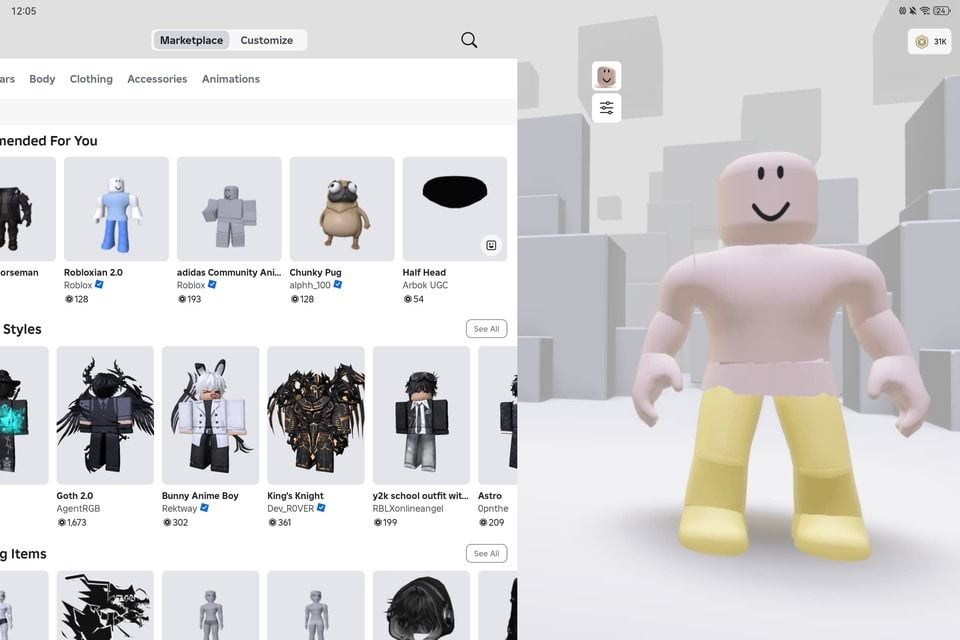
The personalisation ecosystem does truly excel at Roblox with clothes customisation. The Avatar Shop, formerly the Catalog, features millions of items across the game, such as shirts, pants, jackets, hats, hairstyles, wings, tails, faces and full body bundles made by the creators of Roblox Corporation and other third parties. Some are free, others will be purchased by Robux. When browsing by category, you'll know that you can find something that will correspond with your design, from a stylish modern design to a fantasy design, a sci-fi warrior or anything outright wildly absurd and humorous.You're not just limited to creating a strength avatar, though — you can vehemently tweak its walk, run, jump, climb, and swim moves. Through the Avatar Shop, users can purchase animation packs to add unique animation to their characters and which can then be used in most of the games. Emotes are gesture animations that you can select when playing, to show your emotions, victory, or just keep them entertained.Your Roblox profile is another level of personalisation. You can write your bio, connect your social presence and choose what types of games and groups will be featured on your profile page. Groups — player communities are assembled based on games, aesthetics, or shared interests — enable you to show your affiliations and gain access to group-only content in select games.
Build Your Own Roblox Game From Scratch
4.7
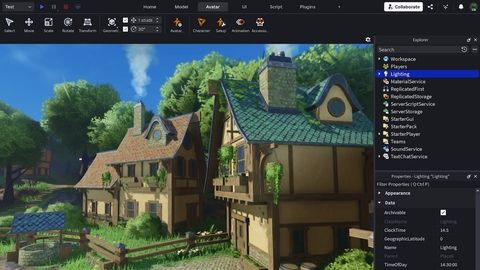
The Roblox script system is what differentiates it from others' block building systems. But, Roblox adds interactivity to your game with Lua, a simple programming language your budding coder can master. Your budding coder can learn how to use a simple programming language, Lua, to build interactivity into your game — doors opening on approach, chasing players, real time score updates, and leader board progress tracking. Roblox Studio will have its own built-in Script Editor, with programmatic autofill and code highlighting. The official Roblox Developer Documentation will have tutorials for creating, as well as for beginners and advanced creators.If you're ready to share your game, you can easily make it online directly in Roblox Studio. If it's done as a Public game, write a Title and Description and either upload a picture or have it uploaded for you from the website, and others will be able to play your game. You will be able to watch your game play from the Analytics Dashboard in Studio and keep going, fix bugs, add new content and more just like the most successful creators here on the platform, who can make 6-figures profits on their Roblox game using the Developer Exchange (DevEx) program.
Keep Roblox Updated to Maintain Peak Performance
4.7
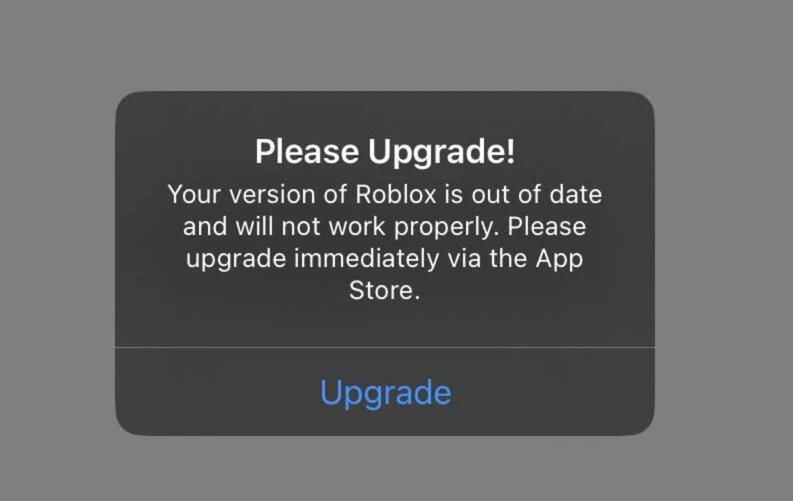
Updating Roblox on iOS- Tap your profile icon in the top-right on the app store screen.- At the bottom of the page, under Available Updates, you'll find a list of updates available for download.- Search for Roblox in the list and click the Update button next to it.- Or, select Update All to update all apps that have been updated.Updating Roblox on Android- Go to the Google Play Store and click on the profile icon in the top-right corner.- On the menu, choose Manage Apps & Device.- Press Updates Available and look for Roblox in the list.- Tap Update under Roblox, or tap Update All to update all apps.- Or, you can jump straight to Roblox's Play Store page — if there is a new update, the button will say Update, rather than Open. Tap it to proceed.

Travel Without Limits with Google Translation
4.3
Setting Up Offline Translation:1. Open Google Translate.2. Press the three lines on the top-left.3. Select “Offline Translation.”4. Press the list of languages shown. Press the download symbol next to the languages you need.5. Let each of the chosen language packs download.Using It on the Go:1. Open Google Translate and select the language from and to which you would like to translate.2. Type, paste, or dictate your message into the application.3. Translations will be provided by the application with no need for an internet connection.Offline Capabilities Provided:- Camera Translation: While not all features can be accessed offline, some languages allow text input through the camera to be translated offline without any need for the internet.- Text Input: Manual text entry is still entirely accessible offline.Best Practices:- Download all language packs required prior to your trip. Each pack will take approximately 30-50 MB of space.- Offline translation will not be possible if your phone lacks sufficient battery power.

Cleverest Way to Connect with Loved Ones Who Are in Jail
3.8
Second, from Apple Pay and Google Pay integration to our one-swipe funding of AdvanceConnect or Direct Bill accounts — there's no need to re-enter your card. Third, there are push-notification reminders to let you know every time an inmate makes a call so that you don't miss out on those special moments.Fourth, personal data and payment info are protected by end-to-end encryption and biometric log-in — certainly more so than with standard landline services.Finally, Securus Mobile's new low-bandwidth mode provides clear audio that works on 3G networks, an important feature for country towns where signals are weak. All backed by an intuitive interface allowing first-time users to plan a video visit in less than 60 seconds—demonstrating that staying connected can be both safe and easy.

How to Pay within Walmart
4.8
What Options of Payment Does Walmart Take?1. Credit and Debit Cards: They include Visa, MasterCard, Discover and American Express.2. Digital Wallets: They will accept payments from PayPal, Affirm (for financing) and other such online payment services.3. Gift Cards: Physical and digital Walmart gift cards are redeemable at check out.4. EBT (Electronic Benefits Transfer): You can use SNAP benefits in store or for qualified online grocery purchases.5. Other Methods: Personal checks, cash, and Walmart branded credit cards.What is Walmart Pay?Walmart Pay is Walmart’s digital wallet inside of Walmart, where you can use a QR code to pay at in store registers. It makes customers’ lives simpler, by saving their time and ensuring transaction safety since they don’t need to use physical cards or cash.

Experience Ghost Hunting from Your Phone
4.2
Start by opening the application and allow the device sensors permission. Upon opening, the user is greeted with a radar screen and, if one is enabled, a live video feed. The app guides users to walk around their environment; movement or abnormalities are indicated as red dots or changes on the radar screen. Because the microphone on the device is set to pick up ambient noise, the app also suggests using the EVP or EMP meters on-screen to capture what is likely inexplicable voices or energy surges. Explore a variety of different locations—house, basement, outdoors—to collect data and try to find potential hot spots for activity.Ghost Detector Real Life Radar is most enjoyable with friends, in dimly lit rooms, and open minds. Observe the radar closely, since blips can move towards the center, which means a closer “presence.” Those seeking proof can utilize the night vision of the camera to capture images during the session. The ease of design of the app means minimal setup; simply follow on-screen prompts and experience a hands-on paranormal adventure.Use the app cautiously. Developers clearly indicate that as much as made for entertainment, the strong supernatural material may frighten or discomfort sensitive users. In case of unpleasant outcomes are delivered by the app, switch it off and exit the location. Trips to haunted locations should always be undertaken responsibly, with an appreciation that the app results are based on the consumer device sensors’ capability and are not scientifically tested.