


Temu Apps - Free Download & Official Reviews

Install Temu for Free
 4.4
4.4
Temu Mobile Installation1. For Android Devices:- Open the Google Play Store.- Type “Temu” in the search bar and press enter. Or you can simply go ahead from https://play.google.com/store/apps/details?id=com.einnovation.temu&hl=en_UShere, which will lead you to the destination directly.- Locate Temu and tap the “Install” icon.- Once installed, tap “Open” to launch the application.2. For iOS Devices:- Go to App Store.- Search for “Temu” in the search bar and press enter. Alternatively, you can simply visit https://apps.apple.com/us/app/temu-shop-like-a-billionaire/id1641486558here, which will direct you to the page.- Temu will appear; beside it, the “Get” button is present- tap on it to download.- After the download, tap the “Open” button to access it.Temu Installation on PC1. Open any browser and enter Temu’s official website https://www.temu.comfrom here.2. If there is any desktop version available, download that; otherwise, if the browser interface provides almost the same experience, then use that.3. If a desktop download is available, then follow on-screen instructions.


Create a Temu Account
4.4
How to Create Your Own Temu Account1. First things first, download and install Temu onto your device (or open its official website). Installation can be done through either the Google Play Store or the Apple App Store.2. Open the newly installed application to your home page and click the “Register” or “Create Account” button.3. Enter your full name, e-mail address, telephone number, and password. Ensure that all information is accurate.4. You may be requested to verify your identity with an SMS code or via email verification code. Just fill in the code that will be provided to you.5. Depending on the service, additional security set-ups such as a PIN or security questions will follow.6. Read Temu’s Terms of Service and the Privacy Policy, then check the box next to agreeing to them.7. Click on “Create Account” or “Register,” and you will have your account successfully created.

Place Your First Order on Temu
4.4
How to Complete the Purchase1. Log into the Open Temu account with the details of your account.2. You can browse through items on home page or search for products that can be used.3. You’ll want to click on the product you want, specify options like color, size, and quantity and click “Add to Cart.”4. To review items that have been added to the cart, tap on the top right corner on cart icon. The whole thing is fine, so make sure of that.5. If you confirm the accuracy of your correct shipping address.6. You have to choose your mode of preferred payment (such as from credit or debit card, etc), and you also need to fill the details accordingly.7. Before you click ‘Place Order’ make sure to check everything (that would include items, shipping address and payment method).

Return or Exchange Items on Temu
4.4
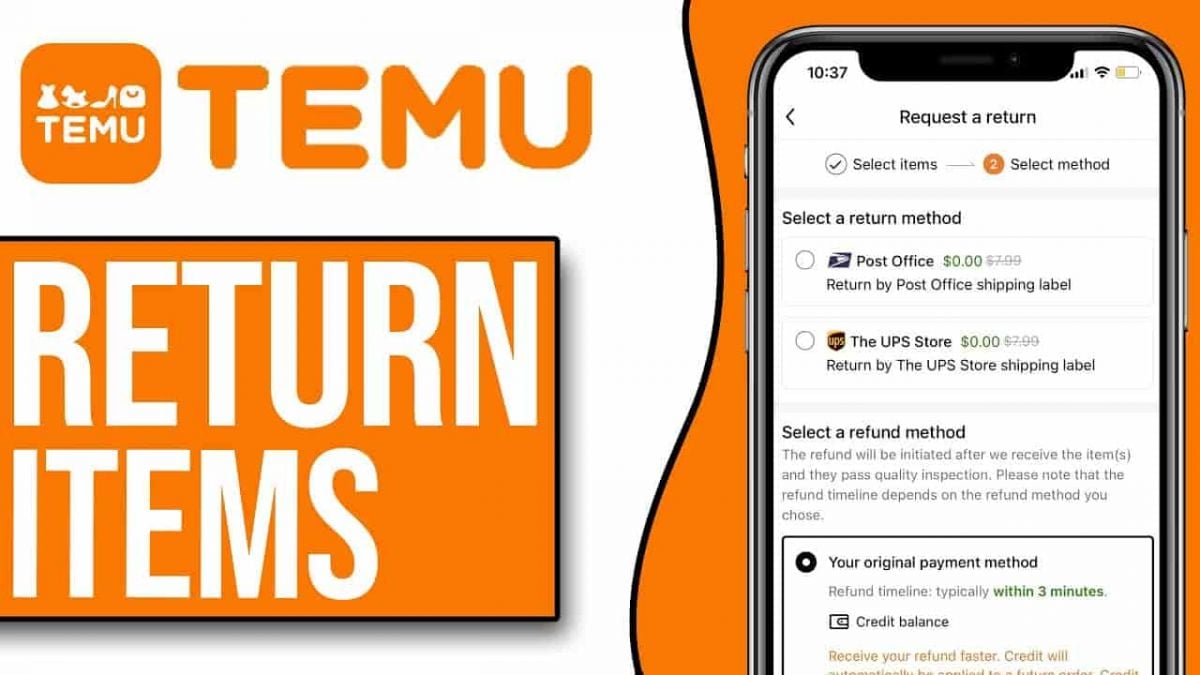
How to Return and Exchange on Temu1. Temu allows for free returns within 90 days of purchase. First, ensure your item qualifies for a return.2. Open Temu and log in with your account credentials.3. Go to your profile section and click on “Order History”; here you will search for the order which contains an item you want to return or exchange.4. Find the order in question, click inside it for detailed information, then select the item you want to return or exchange5. Fill in any required information about the reason for returning or exchanging this item in question (e.g., defective item).6. If desired, continue with the steps provided to print a return shipping label.7. Properly package the item, along with all possibly included accessories and documents, and ship it back using an appropriate courier service.8. After Temu receives your return, your refund or exchange will be processed and confirmed via email regarding the status of the request.

Keep Temu Always Up-to-Date
4.4
Update Methods1. Auto Updates: For both Android and iOS, select “App Updates” in your device settings to update your Temu application automatically whenever a newer version is released.2. Manual Update: Go to the Play Store for Android or the App Store for iOS, search for “Temu,” and if it says that an update is available, just tap on “Update”.3. Desktop Version: Since Temu is web-based on PC browsers, the updates are automatically done. You just have to refresh the page to experience the new features.


Update Citi Mobile Across Devices
4.9
On Android Devices1. Launch Google Play Store.2. Search for “Citi Mobile.”3. Tap “Update” if available.4. Wait for the download and installation to complete.5. Open the application to make sure that it is working fine.On iOS Devices1. Open the App Store.2. Tap your profile, then “Available Updates.”3. Find Citi Mobile and tap “Update.”4. Wait for the installation to finish.5. Open the app again to see if it is updated.Via PC or Web Portal1. Access the Citi website.2. Go to Citi Mobile section.3. Make sure that browser versions are updated to avoid compatibility issues.4. Clear cache or cookies if any errors pop up.

Reading Libby Books Anywhere and Anytime
4.8
All you need do to get started: Connect your library card (including digital cards from services like Zhejiang Library), search for eBooks or audiobooks and tap “Borrow” — no trips to the library and no waiting for physical copies. Most titles are available for instant download, so you can get to listening right away, whether you’re at home or on the go. Books on even popular picks are sometimes available immediately through special programs.Libby’s 14-day loan periods and automatic returns keep the focus on reading, not logistics. It also supports adjustable audiobook speeds and offline reading. Libby If you want a fixed start-and-stop time for your browsing of libraries, Libby puts the world’s largest book collections in your pocket and also on-demand.

Strengths Offered by Google Pay for Contemporary Transactions
4.2
1.Universal CompatibilityGoogle Pay connects Android and iOS platforms for sending money via smartphones, smartwatches, and the web. Whereas Apple Pay is limited to iOS, Google Pay works with millions of Android devices around the world and offers some iOS support in markets like the USand India.2.Enhanced SecurityUsing tokenization, card numbers are substituted by unique virtual codes for each transaction, mitigating risk of fraud. More than 90% of transactions are insulated from fraud and safety is augmented with features like biometric authentication and real-time fraud detection.3.All-in-One Digital WalletIn addition to making payments, Google Pay includes transit passes and boarding passes as well as loyalty cards and event tickets. Its compatibility with Google Flights’ price-drop warranty serves as another example of its flexibility.4.Streamlined Business OperationsTraders will enjoy quicker checkouts (20% faster than ever takes before) because the tracking of transactions is done for you and it becomes much easier to keep track of your books. Customers’ expense data made available to them helps creates a focused marketing resulting in increased ROI.5.Cost-Efficiency and AccessibilityFree for customers, Google Pay does away with charges associated with transferring funds, paying and collecting money (except in some linked-card transactions). It’s accepted around the world at millions of shops and sites, which is a convenience factor.