


TikTok Apps - Free Download & Official Reviews

TikTok Download
 4.8
4.8
How to Obtain ItTikTok MobileOn Android:1. Open Google Play Store.2. Select the search bar and enter “TikTok”.3. Tap TikTok in the search results.4. Choose Install from the dropdown where it is presented and let the file download. The downloading page can also be found from here https://play.google.com/store/apps/details?id=com.zhiliaoapp.musically&hl=en_US.5. Once installed tap ‘Open’ to begin using the app.On iOS:1. Go to App Store on the iPad or iPhone.2. If you are on the “Search” tab, simply type in” TikTok” into the search field.3. Search for TikTok in the search results.4. Download the application by tapping ‘Get’. Or you can straightforwardly finish this step from here https://apps.apple.com/us/app/tiktok/id835599320. You will be asked to confirm via Face ID or Touch ID, or your password.5. After you’ve installed it, just tap ‘Open’ to arrive in TikTok.TikTok PC1. Open TikTok’s official website here https://www.tiktok.com/aboutusing any browser on your computer and scroll all the way to the bottom.2. Select the option right for your device like App Store download, Amazon Appstore download, Microsoft Store, etc.3. Go through the installation process of it.4. Tap TikTok icon from the home screen and register.

TikTok Lite Installation
4.8
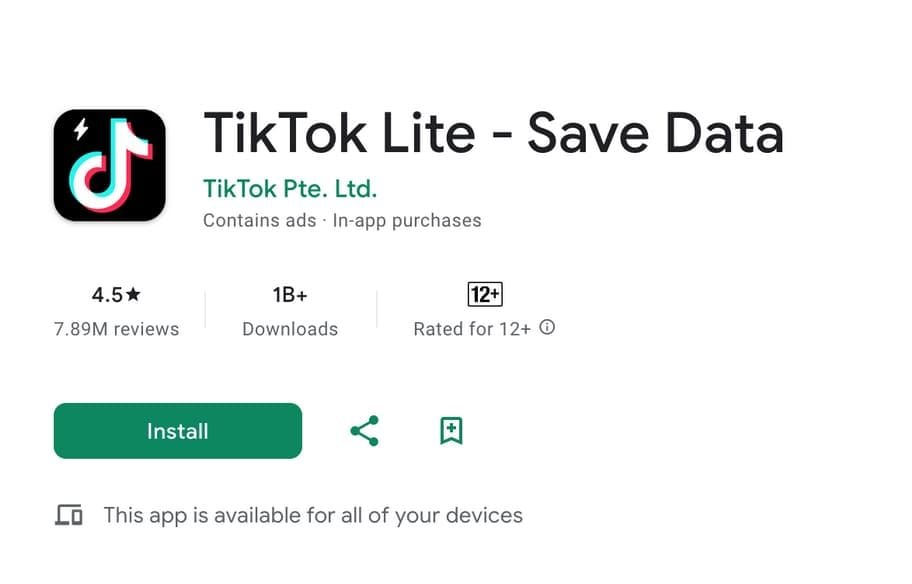
TikTok Lite MobileOn Android,1. Open the Google Play Store.2. Search for “TikTok Lite.”3. Select it from the results and click “Install.” Alternatively, find this step from here https://play.google.com/store/apps/details?id=com.ss.android.ugc.tiktok.lite&hl=en_US.4. Tap “Open” to start using the app when it is installed.On iOS:1. On your iPhone or iPad, open the App Store.2. Click the “Search” tab and type “TikTok Lite.”3. Tap TikTok Lite in the search results. More directly, visit here https://apps.apple.com/za/app/tiktok-lite/id6447160980to view the downloading page.4. Tap “Get” to download the app. You might be prompted to confirm with Face ID, Touch ID, or your password.5. Tap “Open” after installation to launch TikTok Lite.

Post and Go Live on TikTok
4.8
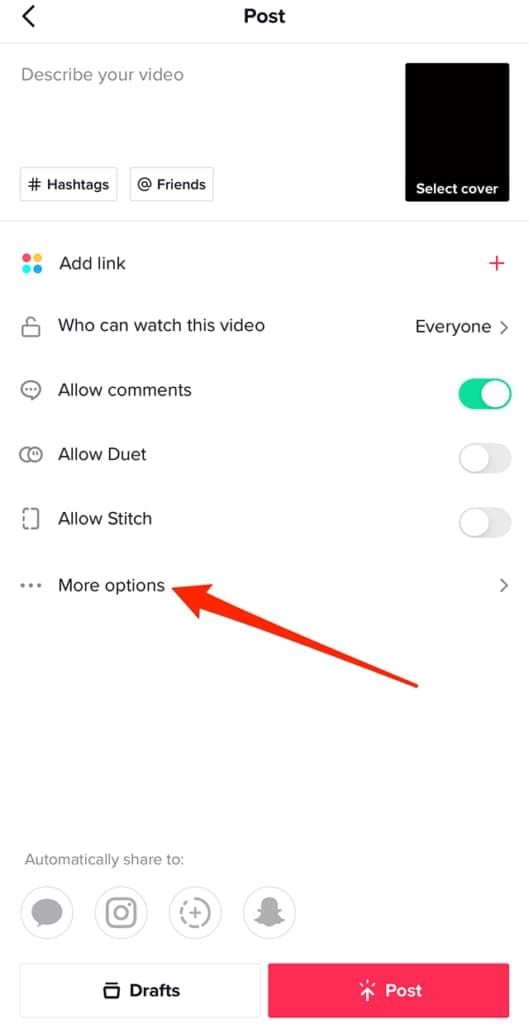
How to Make ContentPublishing Videos1. Open TikTok and click the ‘+’ button at bottom of screen.2. Tap the red record button, then hold to record a video, or choose ‘Upload’ to record from your gallery.3. You could add filters, effects, text, or stickers on your video as you edit.4. Before tapping ‘Post’ add a caption, hashtags, and select privacy settings.Going Live1. You should at least have 1,000 followers, or you’ll miss live streaming features.2. And tap on the ‘+’ icon like you are about to upload a video.3. At the bottom of the screen you can swipe to choose ‘Live’.4. If you want to, add a title to your live stream and tap Go Live.

Add Trending Songs to Your TikTok Videos
4.8
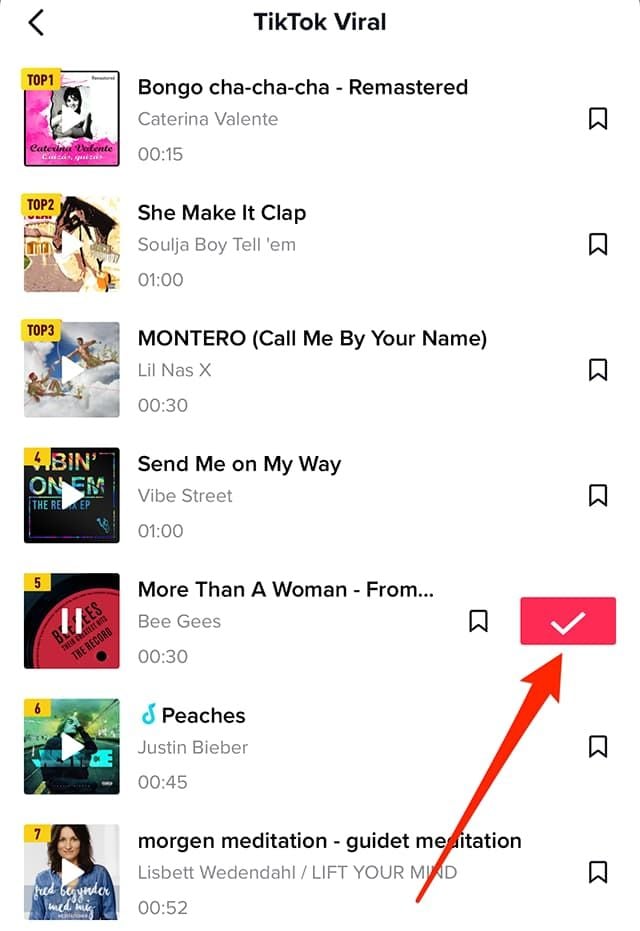
How to Add Songs1. First, create or upload your video by tapping the “+” icon.2. Tap “Sounds” at the top of the screen before recording or after uploading a video clip.3. Browse popular sounds or search by using the search bar to find any particular songs.4. Preview a song by tapping it, and if you like it tap ‘Checkmark’ to add it to your video.5. Before finalizing your post, you can drag your song on the timeline to where you wish it to become play in your video.

Update TikTok
4.8
Steps to Update TikTokOn Android1. Open Google Play Store.2. Tap on “My apps & games.”3. Find TikTok in the list; if there is an update, tap “Update.”On iOS1. Tap App Store.2. Tap “Updates” in the bottom right corner.3. Locate TikTok; if it says there’s a pending update, tap “Update.”On WebFor the web version, it automatically updates as it is run through the browser.


Save Videos from TikTok
4.8
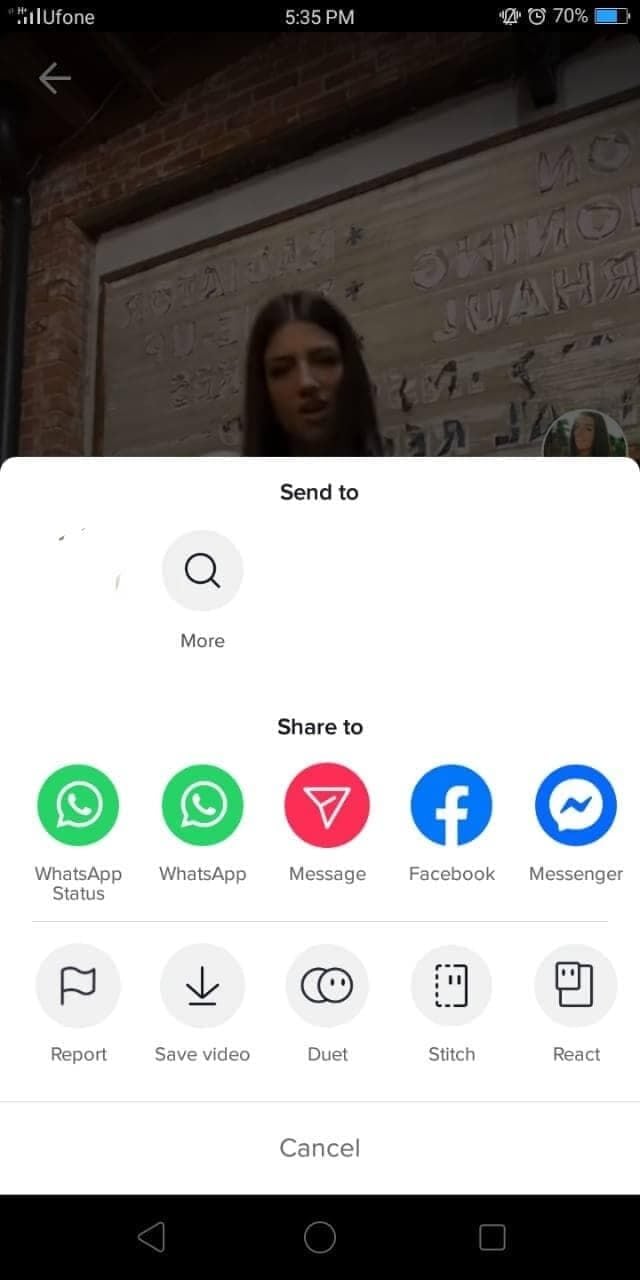
Steps to Download Videos1. Open TikTok and find a video you would like to save.2. Tap the “Share” button (the arrow icon).3. If the creator has this option enabled in their settings, tap “Save Video”. The video will be saved directly to your device’s gallery.

Signing Up for the Domino's DXP Loyalty Program
4.6
1.Opt into the Rewards ProgramOnce you've signed up or logged in, simply click in the Rewards section (it’s typically “Rewards” or "Piece of the Pie Rewards") and follow the prompts to join. The plan is free to join, and you’ll begin earning points on eligible orders right away.2.Start Earning PointsYou get 10 points for every order of $10 or more after you sign up. You'll cash your points in after hitting 60, at which point you can score a free medium two-topping pizza. Points usually show up in your account within 48 hours of your purchase.It also has a loyalty program called Domino's DXP which let’s you get rewards and special offers as well as faster checkouts for return customers.Keep earning points by ordering at least once every 180 days to prevent points from expiring.

Your Pocket Guide to Identifying Thousands of Plants
4.4
The app features a massive and expanding database, which can already identify some 20,000 species. This consists of an unparalleled range of wild flowers, including flowering plants, trees as well as grasses, conifers and ferns even cacti. To obtain the most accurate results, users are encouraged to take clear photos of the most typical parts of a plant, such as its flowers and fruits, which carry very characteristic visual information for AI. It also features "multi-flora identification," so don't give up if you're not able to find your plant, this can search all regional databases at the same time, handy for when you don't have any idea where it comes from.It's also nice that you have the option to upload photos of multiple parts of the same plant, which helps with accuracy. This collaborative process also goes beyond this, since each user contribution to the list is reviewed by a world community of botanists and other users, which helps to validate observations as well as add new records into the system. This makes PlantNet not just an ID system, but also a large citizen science project and thus a noteworthy contribution to the study of global biodiversity.Utilizing the latest technologies like image recognition and artificial intelligence to help you identify and learn about flowers, it is as easier than ever to explore the plant world around us. The app gives in-depth details on the plants that interest you.