


Google Home Apps - Free Download & Official Reviews
A Step-by-Step Guide of Google Home Installation
 4.2
4.2
Here's what the routine you choose — once all of your basics are set up.Plug in that adorable little Google Home into a wall outlet using the included cord, and it will come alive when it’s time to party. Then open the app store on your device and search for, download and launch the “Google Home” app.Now link your Google account. You're asked to log in with your Google username and password (HINT: It's the same as Gmail or YouTube.) This lets the app better integrate itself with different areas of Google since it has access to that data. After you sign in, press “Set up device”and then choose “New devices”to find your Google Home.Follow on-screen instructions. The app will take you through setting up a Bluetooth connection between it and your Google Home. Then select your home Wi-Fi network and punch in the password — this is how the thing connects to the internet. Finally, you'll want to identify your location (to determine the local weather or other details) and set up your voice match (so that you can teach the Assistant what it sounds like when you speak to it).Once you do that, the app will tell you if setup has finished. For example, you can say “Hey Google, how’s the weather?” to test your device.

Main Features of Google Home
4.2
1.Centralized Smart Home ControlGoogle Home is a control center for your smart home appliances — lights, thermostats, security cameras and door locks that are compatible with the Nest platform. Users can pair the smart plugs with relatively simple voice commands like “OK, Google, turn on the living room lamp” to bring convenience and simplicity to an everyday task. On the software front, it plays nicely with other products, such as Philips Hue and Nest, and forms one integrated system.2.Voice-Activated ConvenienceGet answers from Google and control your home using your voice with the built-in Google assistant. It can remind you of your calendar, report the weather, play music from Spotify or YouTube Music and even control — turn on and off — TVs with Chromecast built into them. The Voice Match capability identifies you when it talks to you and then can provide responses based on your calendar, turn on reminders or remember things like what networked speakers you prefer.3.Automation and RoutinesGoogle Home makes your everyday easier by delivering the simplicity of voice control to hundreds of compatible smart devices. For instance, a "Good Morning" program can switch on lights, read news headlines and raise the temperature. These personalizable automations also save time and improve productivity, ensuring that the device becomes a natural extension of users' lives.4.Entertainment and ConnectivityMore than just a means to run smart-home technology, Google Home is also an entertainment star that can play music and podcasts, in addition to YouTube videos. It is hands-free enabled for calls and texts, while Google Calendar, Maps and other services help users stay organized. And with ongoing updates and support for the Matter smart home standard, Google Home is still a forward-looking addition to any modern household.

Get Your Small Screen on the Big Screen with Google Home
4.2
1.PreconditionsMake sure your phone and your TV are connected with the same WIFI.You need to download and install Google Home from App Store or Google PlayIf you’re using an android device, ensure your OS is 5.0 or higher and power conserving settings are off.2.Step-by-Step GuideTurn on Google Home, choose the device you want from the list, such as Chromecast or Android TV.3.Start CastingPress the button for “Cast my screen”or “Cast screen/audio”.Verify through “Cast screen”by choosing “Start now”when it appears.Adjust settings. Control volume from the "Media" tab in the app. Try moving closer to a strong Wi-Fi signal or close any background apps that might be affecting performance, in case of lag.4.Stop CastingPull down the notification panel and disconnect or open Google Home to Stop mirroring.5.Pro TipsCasting from a Chrome browser on computers is also supported, visit chrome.com to download the Google Chrome browser.If you have a non-stock Android device (Samsung in particular), the Google Home app tends to work best.Just say "Netflix" and Google Home will be ready to start your streaming. Whenever you want to stream videos, share a presentation or review photos, Quicklink makes it easy.

Talk Your House Alive
4.2
Say “Hey Google,”and your home hears. Use “Good morning”to start your day, and learn weather, traffic and calendar while the lights gradually come up. In the kitchen, “Set a 7-minute pasta timer”leave

Google Home Converts Your Home into a Smart Place
4.2
Google Home is more than just an internet-connected speaker with a voice assistant. Compatible with select smart home devices, this system allows you to control various aspects of your space hands-fre

Park ATX Simplifies Expense and Trip Tracking
4.0
All your parking activity is brought together in this central feature as the location, duration, cost and time stamps of each session are kept safe within the app. Ditch the losing your paper receipts— digital and auto email receipts link to make expense reporting or reimbursement an effortless experience. It also allows you to check charges at a glance, so that you have not any question of billing ever.

Canva
4.6
Canva has fundamentally flipped digital design upside down. It makes creating complicated graphics feel a lot more simple and intuitive. And whether you’re a pro content creator, or you’re just starting out with zero plan and a little hope, this flexible app gives you solid, easy-to-use tools to upgrade your visuals, speed up your workflow and basically bring those biggest creative thoughts into something real.

Download Telegram Easily
4.0
Detail Installation Steps1. Android Devices:- Open the Google Play Store. In the search box, input “Telegram.”- Tap the one from Telegram FZ-LLC, then tap “Install.” More simply, you can just visit here to view the same page https://play.google.com/store/apps/details?id=org.telegram.messenger&hl=en_US.- Download and install the app. Open the app once downloaded and register your account using your phone number.2. Apple Devices iPhone/iPad:- On your Apple device, launch the App Store and search for “Telegram.”- Tap “Get,” then “Install” when prompted. Alternatively, get to the downloading page simply from here https://apps.apple.com/us/app/telegram-messenger/id686449807.- Install from the store and open it: in-app, register your phone number and start using Telegram.3. Desktop Version (Windows/Mac):- Go to the official Telegram website https://desktop.telegram.organd download the desktop application for your operating system.- Follow the installation prompts, then open Telegram.- Link it now with your mobile account, either by scanning the QR code or by typing your phone number.4. Web Version:- Alternatively, Telegram has a Web version for those who do not want to install anything. In a browser, just go to its official homepage https://web.telegram.org/k/, insert your phone number and access your account.
Get Microsoft Teams on iOS and Android
4.8
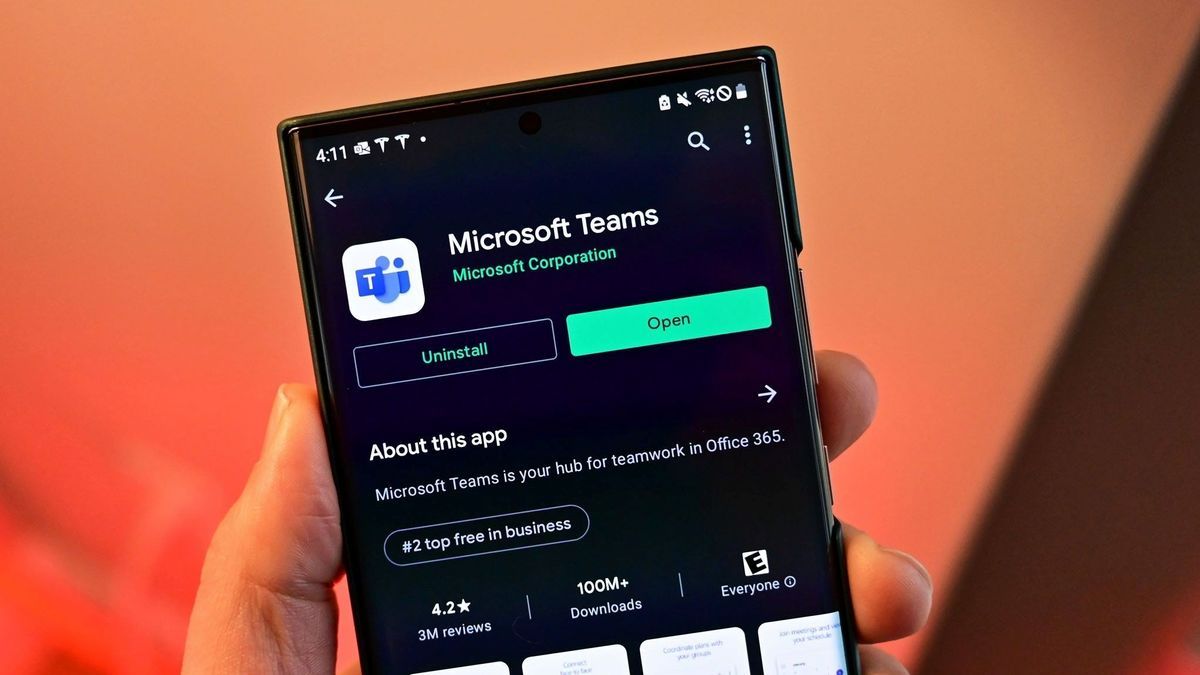
For Android:- Open the Google Play Store on your Android device.- Tap the search bar and type "Microsoft Teams."- Select the official app published by Microsoft Corporation and tap Install.- Wait for the installation to complete.- Once installed, tap Open from the Play Store or find the Teams icon in your app drawer.- Tap Sign In and enter your Microsoft 365 or personal Microsoft account credentials.- Complete any MFA verification steps required by your organization's IT policy.- Allow microphone, camera, contacts, and storage permissions when prompted to enable all communication features.- Teams will automatically load your workspaces, conversations, and calendar upon first sign-in.Both are available for free download. Microsoft 365 users will gain access to the entire feature set including unlimited meeting length, larger group meetings, and advanced admin controls. There's also a version of Microsoft Teams for desktop on Windows and macOS, available for download from teams.microsoft.com.