


Map Apps - Free Download & Official Reviews

Qu'est-ce que Waze et pourquoi l'utiliser?
 4.6
4.6
Trafic en temps réel :Waze analyse les conditions de circulation grâce aux données partagées par ses utilisateurs.Alertes communautaires :Recevez des signalements sur les accidents, radars, travaux ou tout autre obstacle.Gain de temps :Waze recalculera instantanément votre itinéraire pour éviter les bouchons et vous faire gagner du temps.Personnalisation :Vous pouvez ajuster vos préférences de navigation, choisir des itinéraires spécifiques ou personnaliser la voix de guidage.


Comment télécharger et installer Waze?
4.6
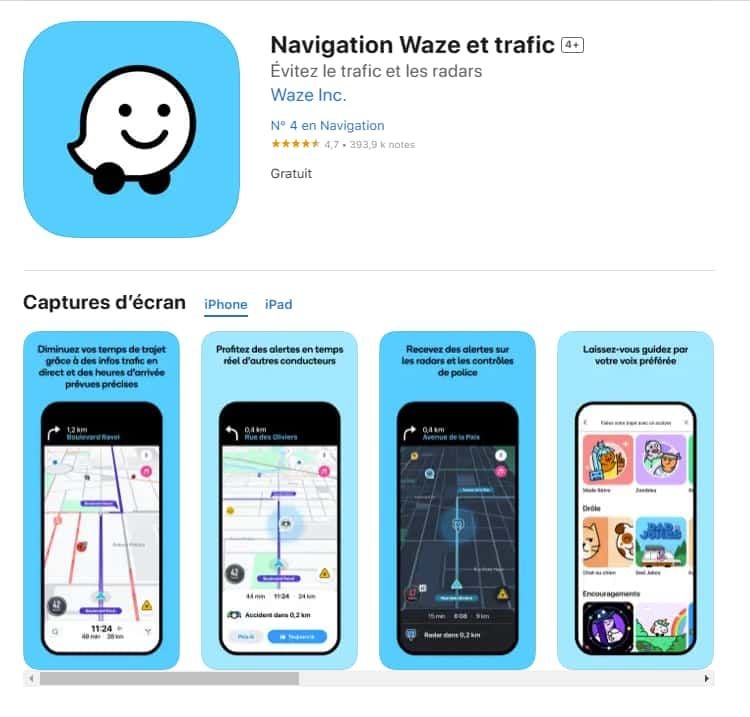
Pour les utilisateurs iOS :1.Accédez à l’App Store.2.Tapez « Waze – GPS et Trafic » dans la barre de recherche.3.Cliquez sur Obtenir pour lancer l'installation. Ou vous pouvez cliquer directement sur le lien: https://apps.apple.com/fr/app/navigation-waze-et-trafic/id3232291064.Une fois l’installation terminée, ouvrez Waze et configurez votre compte.

Comment mettre à jour l'application Waze?
4.6
Sur Android :Ouvrez le Google Play Store.Accédez à « Mes applications et jeux ».Cherchez Waze dans la liste des applications installées.Cliquez sur Mettre à jour, si une mise à jour est disponible.

Comment utiliser Waze pour la navigation et le trafic?
4.6
Waze est simple et intuitif. Voici un guide pour débuter :Lancer l'application : Ouvrez Waze sur votre smartphone.Entrer votre destination : Tapez l’adresse dans la barre de recherche.Choisir un i

Comment créer et gérer un compte Waze?
4.6
Créer un compte :Ouvrez l'application Waze.Cliquez sur « Se connecter » ou « Créer un compte ».Entrez votre adresse e-mail, un mot de passe et d'autres informations nécessaires.Validez votre compte via un e-mail de confirmation.

Park ATX's Timeout Alerts Save Your Wallet
4.0
You can turn off the alerts at any time with a simple swipe, but once you've experienced the calm of ignoring an approaching meter, it's doubtful you'll ever shut them off.

Protect Your Search Privacy
4.1
Managing Search History and Activity1. Launch Google2. Tap your profile picture in the top-right3. Click “Manage your Google Account”4. Go to the “Data & Privacy” page5. In the “History settings,” select “Web & App Activity”6. Turn off “Web & App Activity” so Google does not record your searches7. Or choose “Auto-delete” to delete activity older than some chosen timeframePrivate Searches with Incognito Mode1. Launch Google on your smartphone2. Tap your profile picture at the top right3. Choose “Turn on Incognito Mode”4. In Google Chrome browser, tap on three-dot menu and select “New Incognito Window”5. Conduct your searches without storing history in your account6. Close the tab or window in Incognito mode once completed7. Keep in mind that while Incognito blocks local history storage, your ISP knows what you are doing