Hot App Reviews - Best Free Apps Download & Guides

Install Instagram at No-Cost

WhatsApp Setup

Download and Install YouTube
Create a Temu Account
4.4
How to Create Your Own Temu Account1. First things first, download and install Temu onto your device (or open its official website). Installation can be done through either the Google Play Store or the Apple App Store.2. Open the newly installed application to your home page and click the “Register” or “Create Account” button.3. Enter your full name, e-mail address, telephone number, and password. Ensure that all information is accurate.4. You may be requested to verify your identity with an SMS code or via email verification code. Just fill in the code that will be provided to you.5. Depending on the service, additional security set-ups such as a PIN or security questions will follow.6. Read Temu’s Terms of Service and the Privacy Policy, then check the box next to agreeing to them.7. Click on “Create Account” or “Register,” and you will have your account successfully created.
Download Zoom Easily
4.7
How to Install Zoom on Various DevicesFor Computer Systems (Windows and Mac):1. Open any browser and go to its official website herehttps://zoom.us/download.2. Click the blue “Download” button.3. Once downloaded, look for the installation file for Windows (ZoomInstaller.exe), or the .pkg file on Mac – in your downloads folder. Run the installer by double clicking, then follow the instruction on screen.4. If it requests any permissions, accept them through your operating system.For Mobile Android and iOS- Android:1. Open the Google Play Store.2. In the search box, type “Zoom Workplace” or install directly from here https://play.google.com/store/apps/details?id=us.zoom.videomeetings&hl=en_US.3. Click “Install” and wait for it to download.- iOS:1. Open the Apple App Store.2. Search for “Zoom Workplace”, or access it directly from here https://apps.apple.com/us/app/zoom-workplace/id546505307.3. Tap “Get” to download and install the application.Once installed, you can open Zoom and either log in or create an account.
Telegram’s Safety Features
4.0
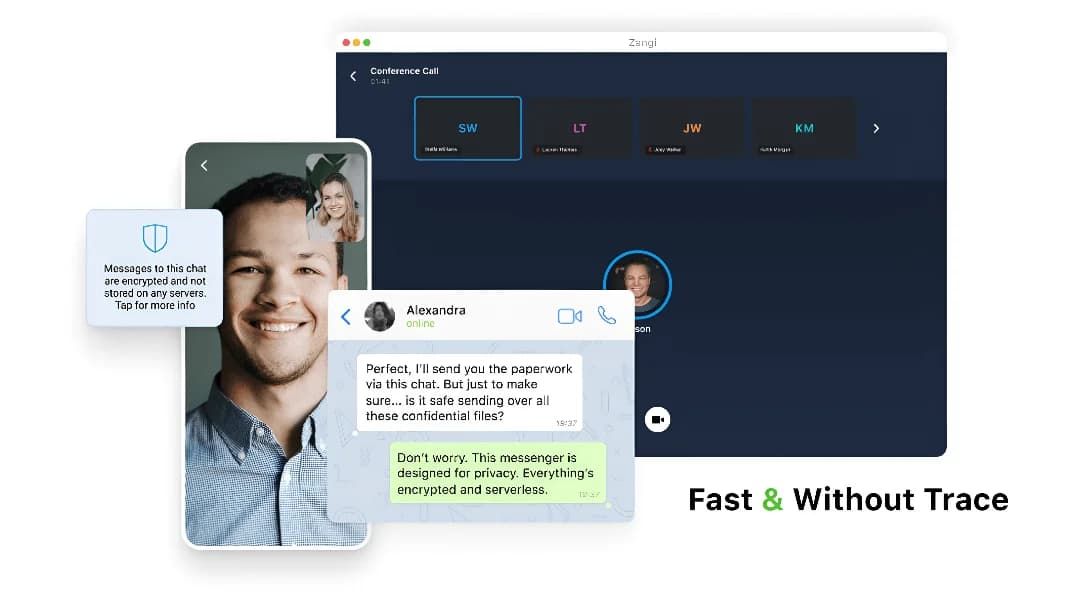
1. Enable Two-Step Verification:- For the extra layer of security, one can enable a password via Settings > Privacy and Security > Two-Step Verification.- This will prevent unauthorized use, even if anyone else knows your telephone number.2. Sending Private Messages via Secret Chats:- Secret Chats use end-to-end encryption, including self-destruct timers, which is great for sensitive information.- They never reach Telegram’s servers and therefore never leave your device.3. Control Who Can Contact You:- In Settings > Privacy and Security, select who can view your profile photo, your last seen, and phone number.- You can block contacts, manage messages coming from strangers, and you can limit this for unnecessary conversations.4. Self-Destruct Media in Regular Chats:- Open any chat, tap the clock icon while sending a photo or video. After setting the self-destruct timer for media to disappear once viewed.
Update Play Store
4.8
Where to Find Your Play Store Version1. Click Play Store icon on your device.2. Tap your profile picture in the top right, followed by “Settings.”3. Scroll to “About,” where your current version will be listed under “Play Store version.”How to Update Your Play Store1. Open the app.2. Tap your profile picture once more, followed by “Settings.”3. Under “About,” tap “Update Play Store.” If there’s an update available, it will start downloading and then install automatically.4. If you are already updated, it will say so in a message that your Play Store is current.Manual Update Using APK1. Download the latest Play Store APK from a well-trusted site, if you cannot update automatically.2. Go to Settings > Security > Unknown Sources, enable it.3. Download and install this APK to manually update your Play Store.
Scan & Go with Walmart+
4.8
What is Walmart+ Scan & Go?The Scan & Go technology works just that: you scan product barcodes through your smartphone, further tracking your real-time expenditure and completing payment inside the store. It’s only available to subscribers of Walmart+, which, in turn, is another reason to subscribe to the membership.Step-by-Step Guide to Using Scan & Go1. Make sure you have downloaded and installed Walmart onto your mobile device.2. Open the app, either near or inside a Walmart store.3. Tap Services, then select Scan & Go from the menu.4. Utilize your phone’s camera to scan barcodes of items as you go along; they’ll be added right to your virtual cart.5. Take a look at your cart total in the app; you can adjust quantities or remove items.6. Once finished shopping, proceed to a self-checkout area where you will scan a QR code displayed on one of their screens.7. Complete payment through your phone using saved payment methods; a receipt will be sent electronically.
Amazon Shopping’s Top Competitors
4.8
1. The emergence of such a powerful alternative is that of Walmart: online shopping combined with the benefit of a wide physical store network. Walmart+ membership benefits like free delivery, in-store shopping with scan and go, and fuel discounts come with the app. It is particularly strong at grocery shopping with same day pickup and delivery options and at competitive prices.2. Target is positioned as a curated shopping experience with a sleek interface and rewards program called Target Circle. The app differentiates itself from other apps with the inclusion of fashionable yet affordable private labels, same-day delivery via Shipt, and Drive Up. Its strength lies in combining fashion, home décor, and everyday essentials with a more refined shopping experience.3. eBay distinguishes itself with both an auction-style and fixed-price listing. The platform excels in unique, secondhand, and collectible items. Key features: image search capability, personalized offers, real-time price alerts, robust messaging system for buyers and sellers to connect. The app does offer authentication services for luxury4. Costco brings the warehouse club experience to mobile shopping, featuring bulk pricing and exclusive benefits for its members. The app features integration with a digital membership card, same-day grocery delivery, pharmacy services, and special online-only deals. While offering fewer products than Amazon, it emphasizes quality and value through carefully curated selections.5. AliExpress specializes in shopping directly from the manufacturer, with very competitive prices. This platform boasts a vast product array, buyer protection, image search, and real-time translation, even though its delivery times are usually longer. Gracie app features include games, coins, and flash deals, among other things that make using this app very entertaining.
Download Citi Mobile on Your Devices
4.9
Android Devices:1. Launch the Google Play Store.2. In the search bar, type “Citi Mobile.”3. Under the search results, select the official Citi Mobile from Citi Bank. Otherwise, to save time and effort, visit the download page directly from here https://play.google.com/store/apps/details?id=com.citi.citimobile&hl=en_US.4. Tap the “Install” button.5. After the installation is done, run the application and read messages on the screen to log in with an existing account or create a new one.iOS Devices:1. Open the App Store.2. In the search field, enter “Citi Mobile.”3. Select the official Citi Mobile.Alternatively, you can browse the corresponding page directly from here https://apps.apple.com/us/app/citi-mobile/id301724680.4. Tap “Get” and confirm the download with Face ID, Touch ID, or Apple ID.5. Open the app after installation to begin the setup process.Accessing via PC or Web:1. Access the official Citi Bank website https://www.citi.comusing any of your favorite browsers.2. Go to Citi Mobile section.3. Scan the QR code for downloading the application or directly access mobile-like features through the browser portal.4. Sign in with your Citi credentials to access the services.Exciting Features of Citi Mobile:1. Real-Time Notifications: Get updated with alerts for transactions, payments due, and more.2. Mobile Check Deposits: Deposit checks with the use of your smartphone camera without visiting any branch.3. Account Management: View balances, transaction history, and manage multiple accounts with ease.4. Bill Payments: Pay bills directly from the app without having to go to the bank.
Update ParkMobile
4.5
For Android Users:1. Open Google Play Store: Launch the Play Store app on your Android device.2. Open My Apps & Games: Tap the menu button-three horizontal lines in the upper left corner-open “My apps & games.”3. Locate ParkMobile: Scroll down to the bottom to list all installed applications and search for ParkMobile there.4. If available, it will say “Update” next to it; click that to begin downloading a newer version.iOS Users:1. App Store, Apple: Open the App Store from your iPhone or iPad.2. Your Profile Icon: Tap the profile icon at the right top of the screen.3. Look Down for Updates: Now locate your pending list for updates; if ParkMobile is in there, tap “update” on it.For PC Users:Since ParkMobile is web-based and accessed through browsers on PCs, all updates are done automatically on the server side. In case any issue arises while using parkmobile.io, just refresh your browser.
Download PayByPhone
4.5
Steps for Android Devices:Android phones or tablets:1. Navigate to the Play Store app on an Android based phone or tablet device that you are using.2. In the search bar, enter PayByPhone. Even more conveniently, visit the downloading page from here directly https://play.google.com/store/apps/details?id=com.paybyphone&hl=en_US.3. Click the app and click “Install.”4. Let it install and open completely.Steps for iOS Devices (iPhone/iPad):1. Open the Apple App Store using your device.2. In the search field, type “PayByPhone Parking.” More straightforwardly, navigate the same result from here https://apps.apple.com/us/app/paybyphone-parking/id448474183.3. Tap “Get” and authenticate if required.4. Allow it to download and install, then launch the application.Steps for PC/Mac Users:1. Open your web browser and go to www.paybyphone.com.2. In the top-right corner, select either “Sign Up” or “Log In.”3. Continue through the prompts to either sign up or recover your stored credentials.4. Bookmark this page for future quick access.You will be asked to make an account afterward with your e-mail address, mobile number, and vehicle information.
Update PayPal
4.6
Mobile Devices (Android and iOS):1. Launch Your App Store: Google Play Store or Apple App Store.2. Search for PayPal: Locate the application from the search results.3. Check for Update: If available, tap “Update.”Desktop (Browser Version):1. Enable Auto Updates: Most Web browsers update the application automatically; make sure this setting is on.2. Clear Cache and Cookies Regularly: This ensures smoother performance and security.