


Hot App Reviews - Best Free Apps Download & Guides

Install Instagram at No-Cost

WhatsApp Setup
Download and Install YouTube
Deploy Microsoft Word’s Intelligent AI Utilities
 4.8
4.8
Another highlight is the Rewrite feature. Select a passage, ask Copilot to rewrite it, and mention the tone or formality level, maybe also the preferred length. Then it gives multiple alternate versions for you to pick from. So if you want a paragraph shorter, or you want to move from casual to authoritative, or you’re rephrasing for a different audience, Copilot handles that pretty quickly and with decent sense.Copilot can offer help with document formatting and structure. Tell it to "add a table of contents" or "format this as a formal business report" and it will reformat your document. If you're someone who knows what you're looking to convey, but not exactly sure how to present it in a professional manner, then this is truly a game-changer since you can create polished, well-organised output without needing to deeply know how to manipulate Word's formatting tools.

Ultimate Secrets to Tailored Streaming on Netflix
4.7
You can also improve how things look, and honestly it’s underrated. Open “Subtitle Appearance” and adjust how the text renders on screen. You can tweak font choices, change text scaling so it’s easier to read, adjust the color maybe to a high contrast yellow, or add a solid black background shadow so captions pop. That helps across different screens too, whether you’re watching a dark thriller on a phone or an anime on a large tablet that basically acts like a small TV.Also keep an eye on your “Viewing Activity” log every so often. If someone used your profile by mistake, or you clicked something random while distracted, you can delete specific titles from the history. Removing a watched item clears its influence on the algorithm after about twenty four hours. Pair that with data usage preferences so Netflix matches your real display needs—anything from low bandwidth mobile optimization to maximum Ultra HD data rates—and the result is an app that feels more aligned with your day to day routine and your visual preferences.
Keep Roblox Updated to Maintain Peak Performance
4.7
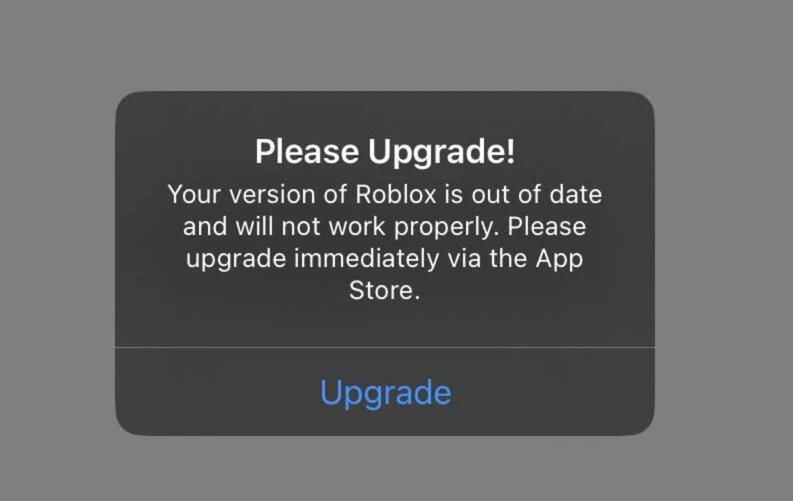
Updating Roblox on iOS- Tap your profile icon in the top-right on the app store screen.- At the bottom of the page, under Available Updates, you'll find a list of updates available for download.- Search for Roblox in the list and click the Update button next to it.- Or, select Update All to update all apps that have been updated.Updating Roblox on Android- Go to the Google Play Store and click on the profile icon in the top-right corner.- On the menu, choose Manage Apps & Device.- Press Updates Available and look for Roblox in the list.- Tap Update under Roblox, or tap Update All to update all apps.- Or, you can jump straight to Roblox's Play Store page — if there is a new update, the button will say Update, rather than Open. Tap it to proceed.

Google Maps
3.2
Whether exploring a new city, planning a trip to the city, or just trying to navigate thru traffic, this application has all the world right at your fingertips. Here are the things to know about starting up and enjoying.
Amazon Prime Video's Sumptuous Recommendation System Serves up Your Next Show
4.4
Leveraging the decades of polished recommendation tech Amazon has developed, our system continuously monitors even minor viewing habits — which genres you finish in one go; what actors or shows you've rerun; when and why did you stop watching a particular program to come back at another time & day only to be outgunned by other titles demanding attention. It refuses to spoon-feed everyone the same popular trending titles, but instead excavates forgotten jewels in plain sight or perennial series and under-the-radar films that align with your individuality even when you would never search for them directly.That clever, custom design reduces the amount of time you spend looking for something to watch and makes every login a minor pleasant surprise. As the system learns your preferences more and more, finding new content becomes easier than ever with well-crafted recommendations that feel custom-made.
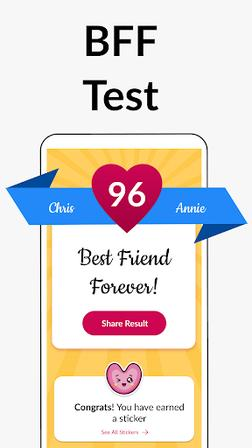
A Fun Way to Measure Friendship Bonds
4.6
You are launched into different quiz sets with each set covering subjects like trust, hidden details and emotional connection. Once the quiz is done, a unique algorithm computes a friendship percentage score--hard evidence of just how tight that bond really is. It allows users to save results and retake quizzes with another friend, as well share scores on social platforms such as WhatsApp, Instagram and Facebook.The application is created for all ages, and with HD graphics, smooth animation, and free model. The app is only for entertainment purposes and uses a number algorithm, not clinical assessment. If hanging out, whether officially as a sleepover or just otherwise BFF Test spices up discovering friendship.
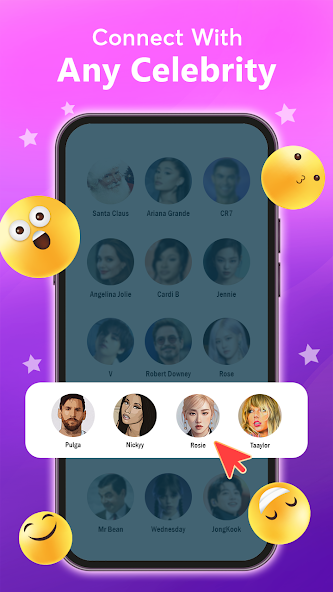
The Art Of Fake
4.1
The app is a utility for the content creators. It has Pro screenshots and screen recording feature, which makes it easy to capture reactions so that you can easily post them in TikTok, Reels or YouTube Shorts. Which means you can add your own ringtones, themes and scripts to the app make for a prank that is anything from an overzealous fan calling in with all sorts of gushing compliments — after first saying they love this person's work! These simulated amusement interactions should not be seen as real communication because they are entirely fictional.

Depression Test
4.2
It supports saving historical test records to track mood changes long-term, paired with mood journals and basic CBT guidance for self-adjustment.
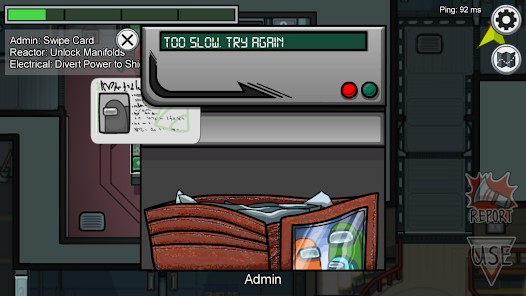
The Suspect, the Alibi and the Danger in Space
3.9
Among us is just as much a party game, how to hang out with your friends online and something oddly satisfying all in of itself. Cooperative play, deception, and real tension all combine to create one
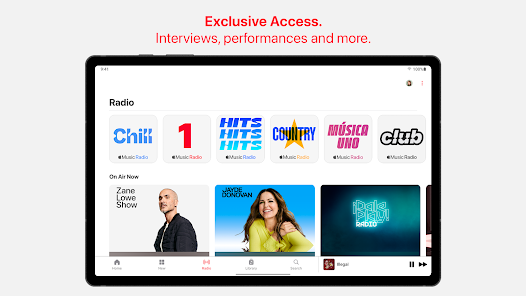
Watch Exclusive Artist Interviews, Performances and More
4.6
Apple Music is one of the premier music streaming services featuring over 100 million songs (ad-free), and using high-Quality audio techniques like Spatial Audio with Dolby Atmos, Lossless Audio. But
ARCHIVE
Category
- Communication
- Tools
- Shopping
- Lifestyle
- Entertainment
- Finance
- Art & design
- News & Magazines
- Productivity
- game
- Action
- Music & Audio
- Music & Audio
- Education
- Education
- Business
- Photography
- Books & Reference
- Business
- Health & Fitness
- Medical
- Educational
- Casual
- Video Players & Editors
- Maps & Navigation
- Adventure
- Sports
- Puzzle
- Arcade
- Personalization
- Art & Design
- Action
- Travel & Local
- Social
- Food & Drink